Home>Articles>Did you know that Google Sheets can automatically clean messy data?
Did you know that Google Sheets can automatically clean messy data?
By Gill
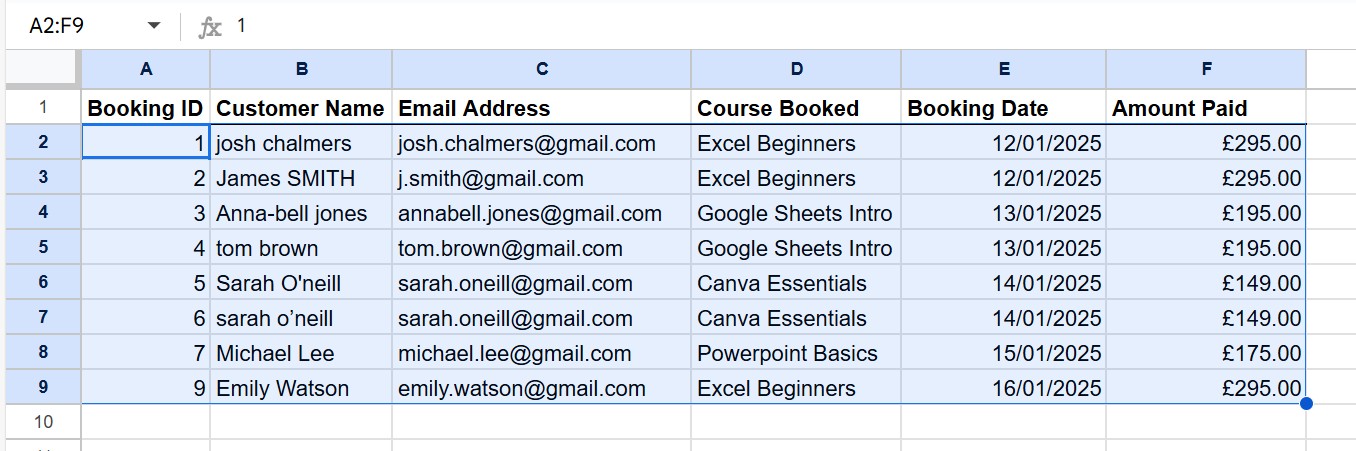
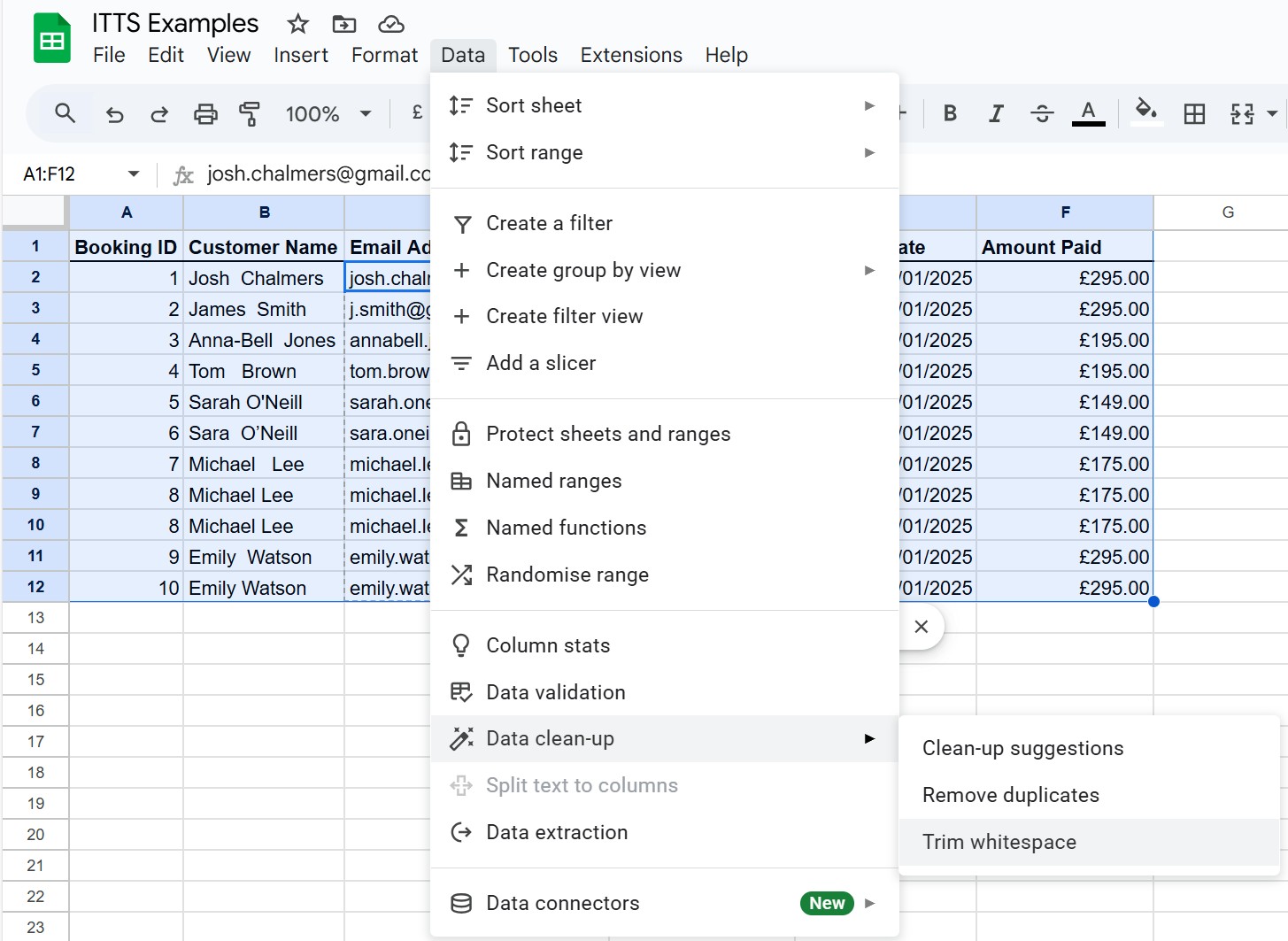
Messy data is one of the biggest frustrations for spreadsheet users. If your data is untidy you can’t sort, filter or analyse your data easily. But Google Sheets has built-in tools that can split, tidy, remove duplicates and standardise data in seconds. Most people don’t know these features exist. Simply select the data, click the Data tab, then choose Data clean-up.
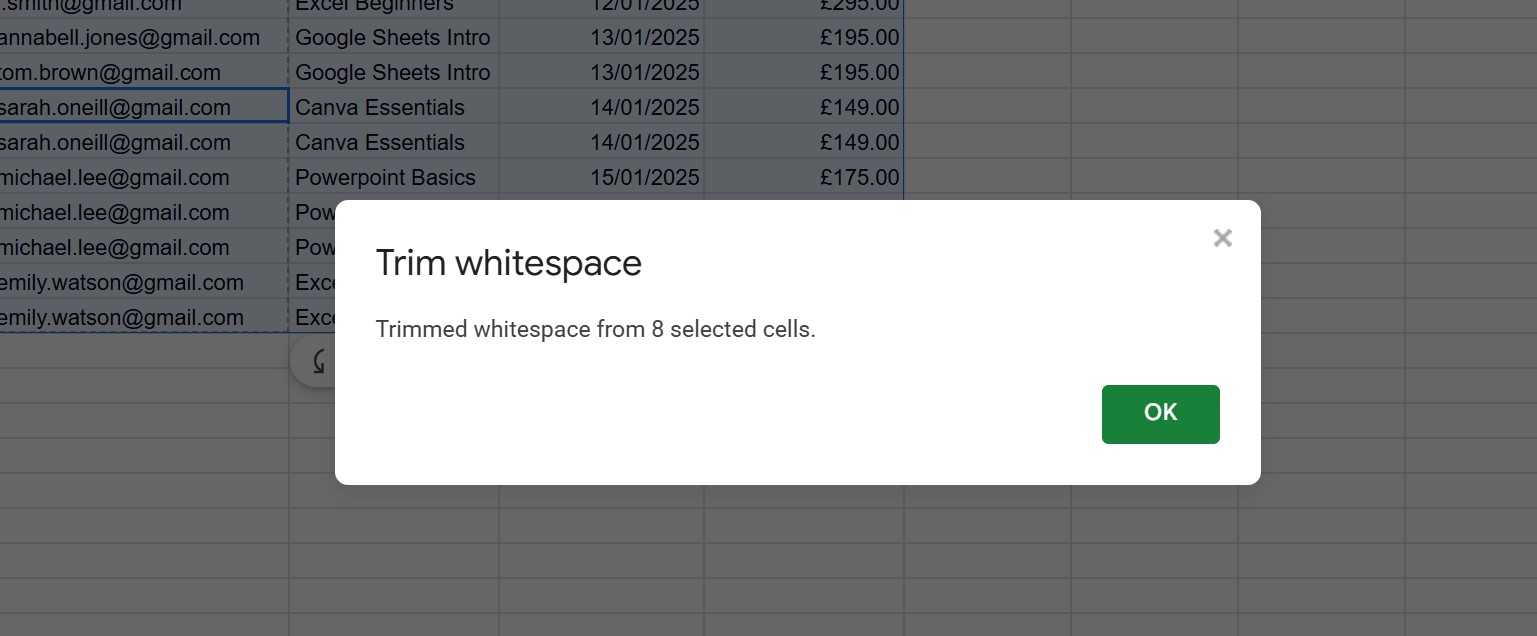
Click on Trim whitespace to automatically delete any extra spaces.
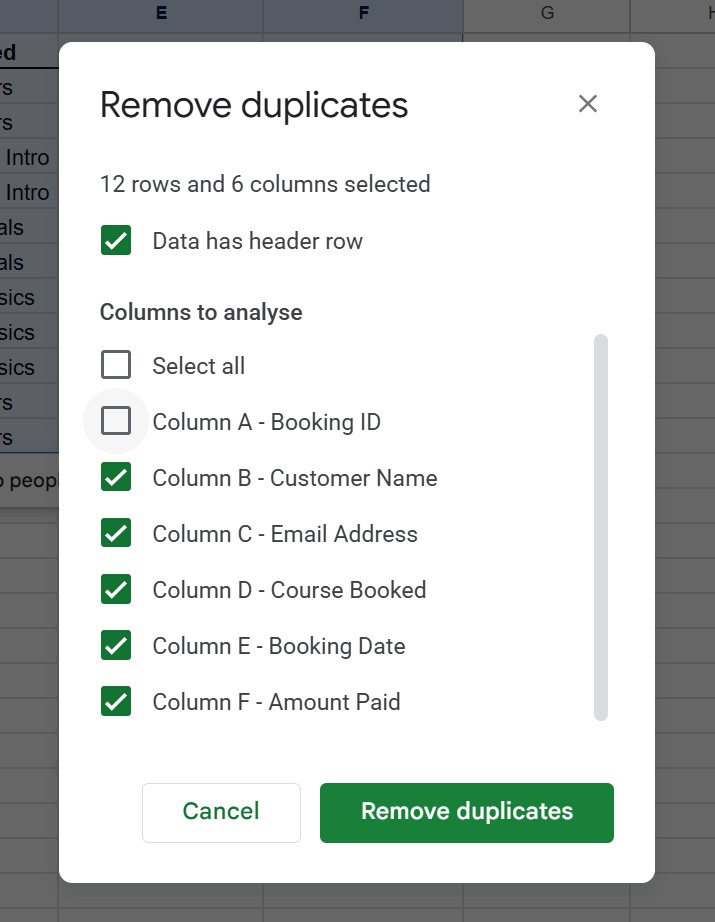
Then again, click the Data tab, go to Data clean-up, but this time choose Remove Duplicates. Tick the Data has Header row box (if you have a row of headers at the top of your data). Remove the tick from any columns that you don’t want included (in this example Column A – the Booking ID, as they are all unique).
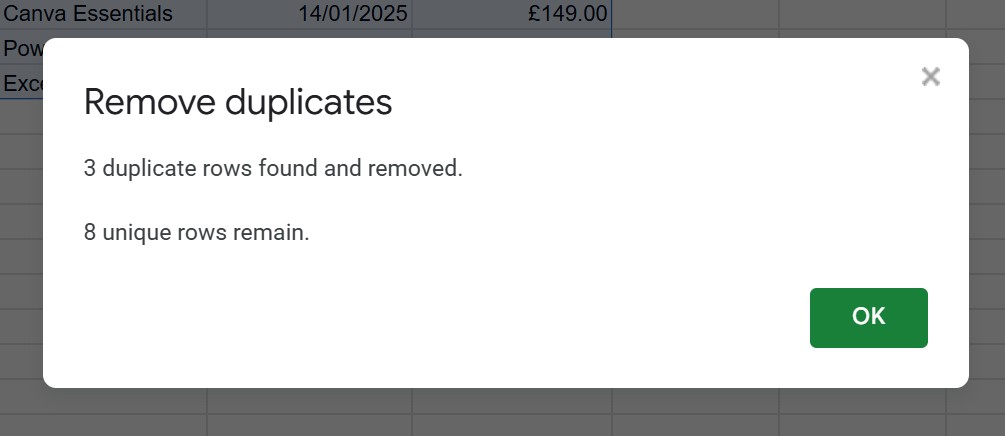
Then click Remove Duplicates.
Click OK
Published: 13 January 2026
Published By: IT Training Solutions Ltd
Please note that while every effort has been made to ensure the accuracy and reliability of the information provided in this article, it is intended for general informational purposes only. The content is based on current knowledge and understanding at the time of writing and may be subject to change. All information in the article is provided in good faith, however, we make no representation or warranty of any kind, express or implied, regarding the accuracy, adequacy, validity, reliability, availability, or completeness of any information in the article. Readers are encouraged to verify any information before relying on it and to seek professional advice from us or others where applicable or necessary. The author and publisher disclaim any liability for any direct, indirect, or consequential loss or damage arising from the use or reliance on this information. We hope you enjoyed reading the article.
This site requires JavaScript - JavaScript is currently disabled on your device, please be aware that certain functionality may not work until you enable JavaScript.