Key Loop Components
Microsoft Loop - A guide to components, pages and workspaces
By Lara
Microsoft Loop is a collaboration app in Microsoft 365 designed to help people work together more smoothly across different apps and devices.
Instead of keeping ideas, notes, tasks and updates in separate places, Loop brings them together in a flexible shared space.
The easiest way to understand Loop is to break it down into its three main building blocks:
Components
Pages
Workspaces
Once you understand how those fit together, it becomes much easier to see where Loop can help your team work faster and with less confusion.
Microsoft describes Loop as a co-creation experience that brings together people, content and tasks across apps.
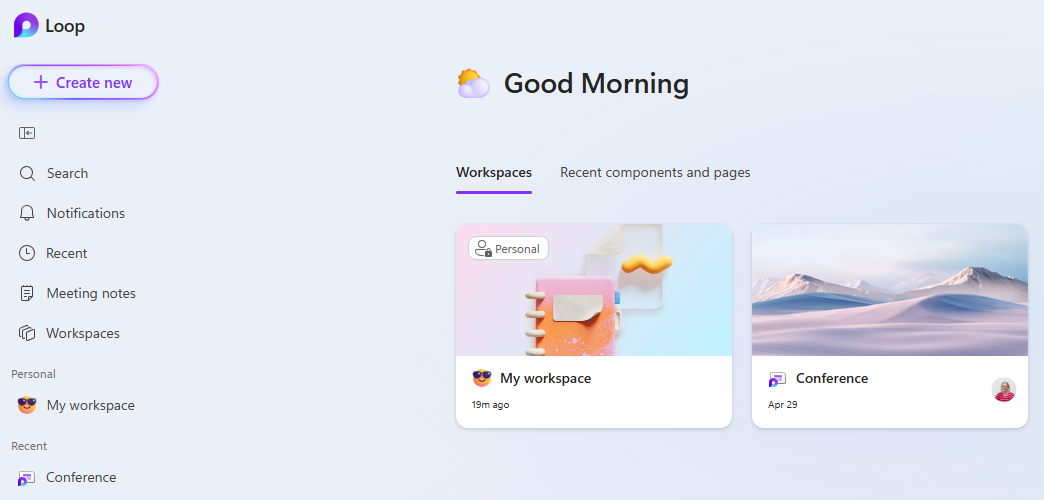
Below shows the Home Screen for Microsoft Loop.
Components: the live building blocks of Loop
Loop components are small pieces of live content that can be shared and edited in different places.
These can include lists, tables, task trackers, paragraphs, notes and more.
What makes them different from ordinary content is that they stay in sync wherever they are shared.
For example, if you add a Loop component to a Teams chat and then edit it later in Outlook or OneNote, everyone sees the latest version straight away.
This reduces the usual back-and-forth of copying information between apps or managing multiple versions of the same content.
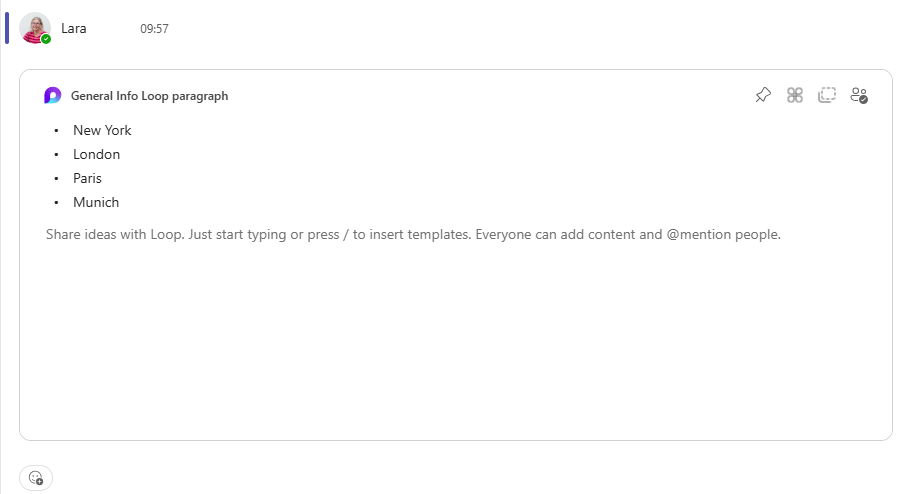
Below shows a bullet list loop component in Microsoft Teams.
Pages: where ideas start to take shape
Loop pages are flexible canvases where teams can gather everything they need for a piece of work.
A page can include text, components, task lists, links and notes, all in one place.
You might use a page for meeting notes, a project outline, a team update or a planning session.
Pages can start small and then grow as the work develops.
This makes them useful when you want one place to collect ideas and keep them moving forward without needing a heavily formatted document.
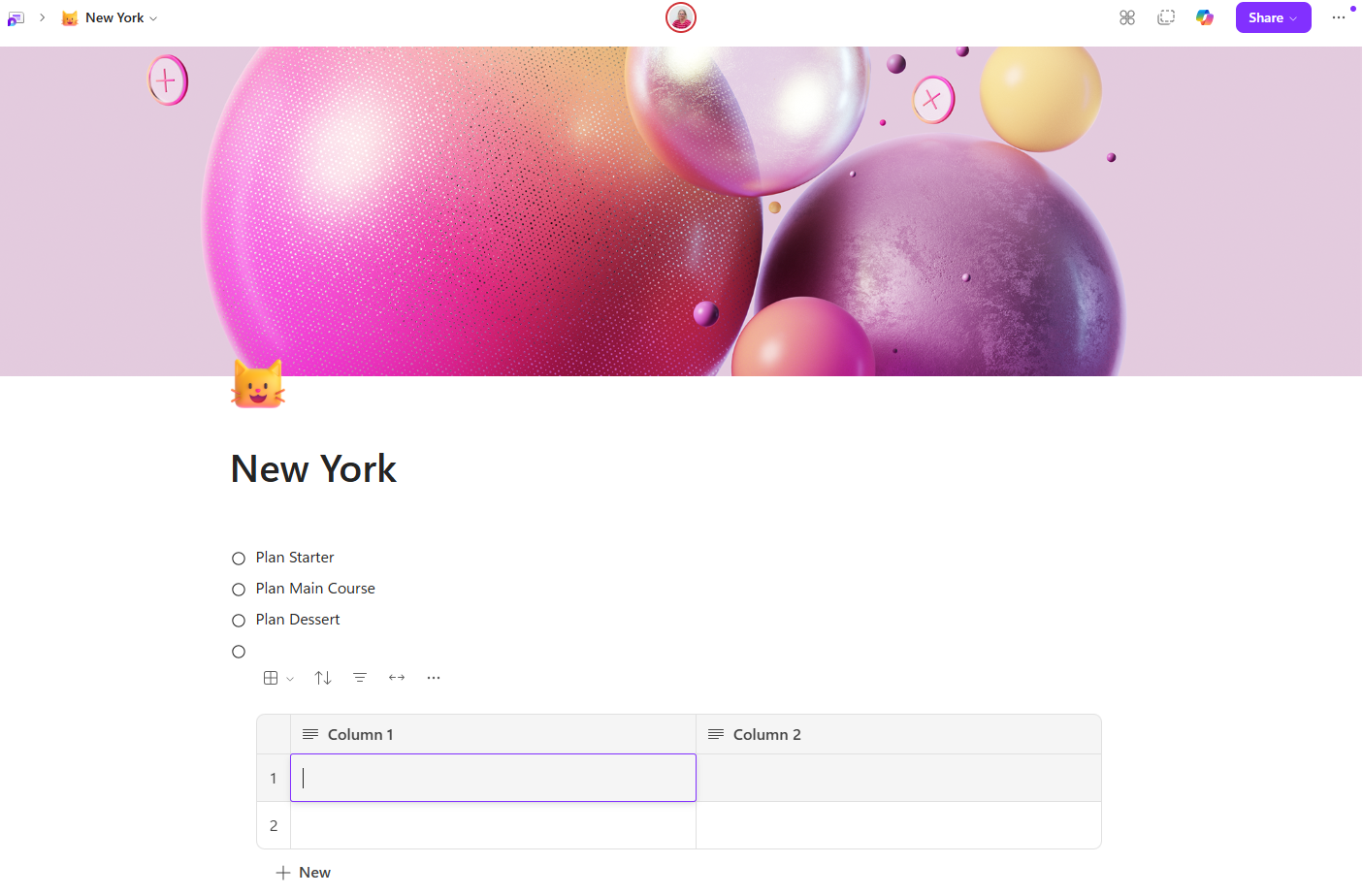
Below shows a page with a title, checklist and the start of a table.
Workspaces: keeping related content together
Loop workspaces pull related pages together so a team can keep track of a whole project or topic in one place.
Rather than searching through chats, emails and documents to find what matters, a workspace gives you a shared area where the key pages sit together.
This makes it easier to catch up on progress, understand what others are working on and keep the right information grouped around a shared goal.
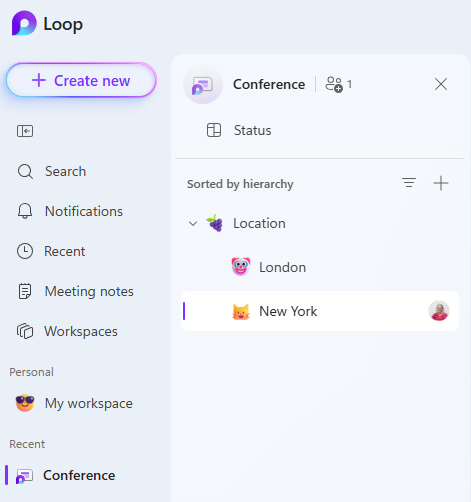
Below shows the relationship between a workspace and the pages it contains.
This example shows a conference workspace with separate pages for the possible venues of London and New York.
How components, pages and workspaces work together
The three parts of Loop are easier to understand if you think of them as layers.
Components are the individual building blocks.
Pages are where those building blocks come together for a specific piece of work.
Workspaces are the larger shared areas that organise all the pages linked to a project or team effort.
That structure gives Loop a lot of flexibility.
A single task list can sit inside a page, be shared into Teams, and still remain part of a wider workspace.
Why this matters in day-to-day work
This structure can make everyday collaboration much easier.
Teams can capture ideas quickly, build plans together, keep updates current and reduce confusion caused by scattered information.
Instead of switching between apps and wondering which version is correct, people can work on the same live content wherever it appears.
Loop is especially useful for meeting notes, shared planning, quick decisions, project updates and team coordination.
Final Thoughts
Microsoft Loop can seem unfamiliar at first, mainly because it does not work like a traditional document or notebook.
Once you understand the role of
Components
Pages
Workspaces
The structure becomes much clearer.
Components help people collaborate on live content, pages bring that content together for a specific purpose, and workspaces keep everything organised at a wider level.
For teams that want a more connected and flexible way to work across Microsoft 365, Loop offers a practical way to move from ideas to action.
Published By: IT Training Solutions Ltd